work samples
dr.dk - leading design- & research efforts across the dr.dk website
I worked as a senior UX- & product designer on a wide range of different projects on the dr.dk web platform. Through my time as a UX Designer at dr.dk I learned a lot about creating UX & design for a wide variety of users and user needs. I have included a small sample of the projects, I have been working on.
Year
2018-2019
Role
Senior UX Designer
General election
Visualizing the digital version of the 2019 general election results
With almost 2 million visitors on election night and the day after, the general election results is the single most important digital touchpoint in the election coverage. Together with my team, DR Design and the editorial teams I helped design the digital version of the 2019 election results.
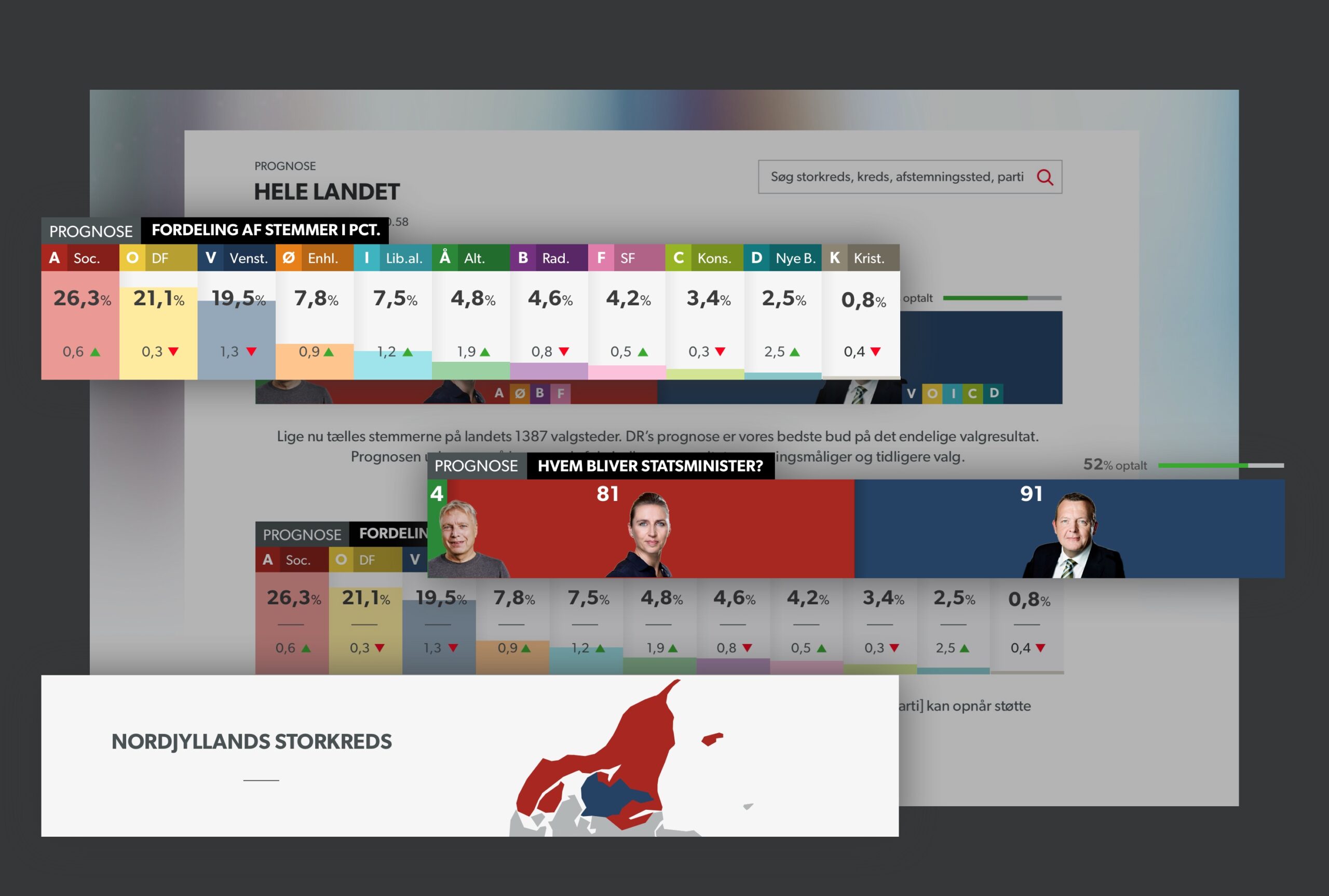
Visualizations on dr.dk on election night. The website supported the broadcast TV narrative on election night providing detailed information on the shifting power balances as well as both local and national results. Graphics are from design mockups and do not show actual results.
TEXT TO SPEECH SOLUTION
Designing a better experience for insecure readers
Equal access to the news is a fundamental part of democratic participation and as such a very important commitment for a public service media company like DR. However more than 600.000 people in Denmark have trouble reading and understanding regular news articles due to circumstances like dyslexia, limited knowledge of danish language etc. In this project I lead the design of a text-to speech solution, that could improve the experience of written news articles for insecure readers.
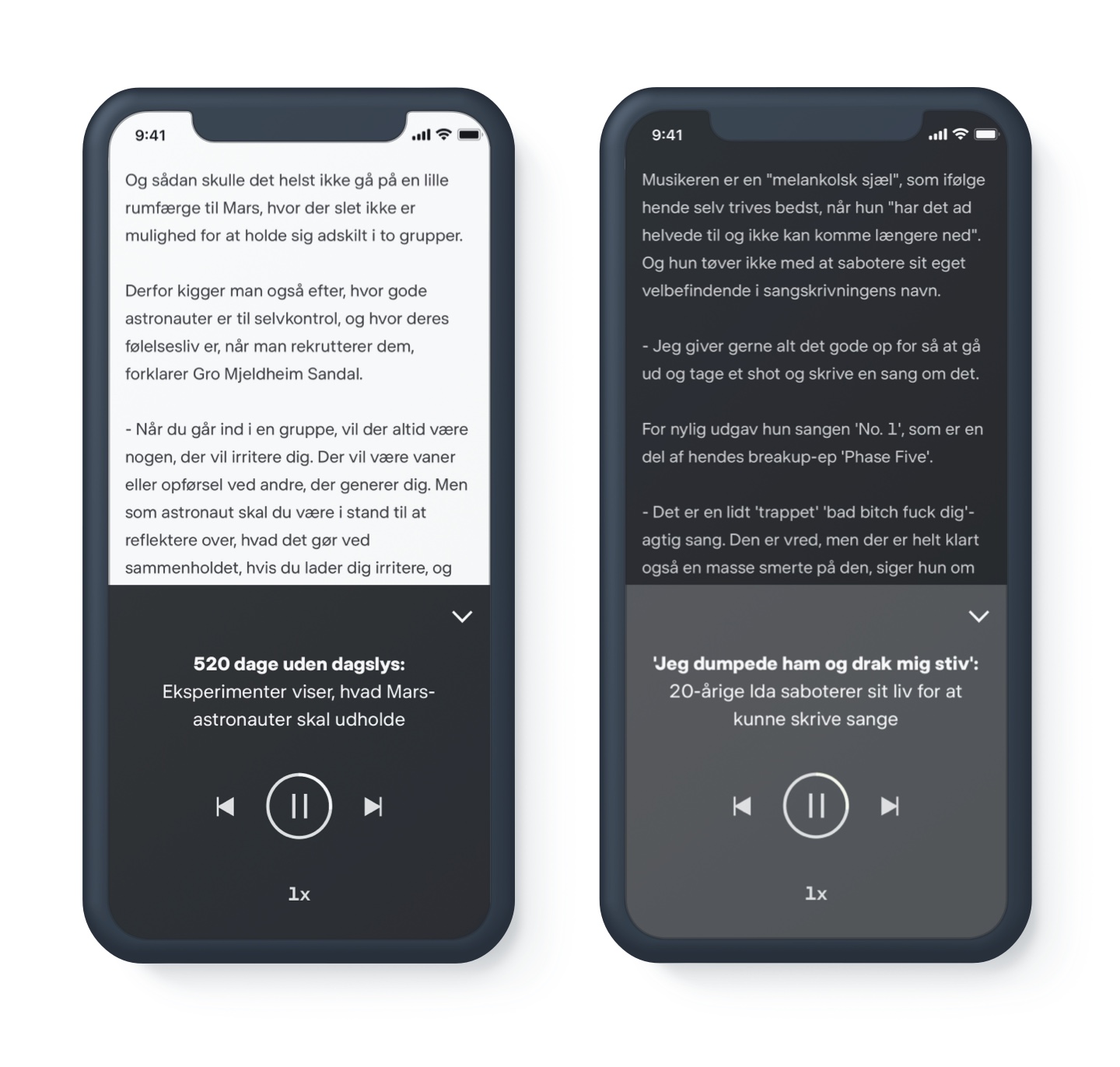
Listening to a full article
Research showed us, that users with the most difficulties reading an article wanted a quick and easy way of listening to a full article instead of reading it, as reading are an exhausting task for these users.
The team and I started out by releasing a very basic MVP-version in order to receive instant user feedback on the basic functionality. In subsequent releases we added a customized UI as well as scrubbing- and adjusting speech rate features.
Listening to a single word or sentence
Before adding this feature, we conducted several user tests with users from the target group. The user testing was lead by my UX design colleague Louise Söholt. During the tests, we made an important observation: When seeing a word, they didn't understand, many of our respondents followed the same interaction pattern: They copy/pasted the word into Google Translate, translated by voice, and then went back to the article to continue their reading.
We decided to tap into this interaction pattern by prompting the text-to-speech popover upon selection. This way, we kept the UI minimal for users not needing it, while designing an interaction that felt natural for users in our target group.
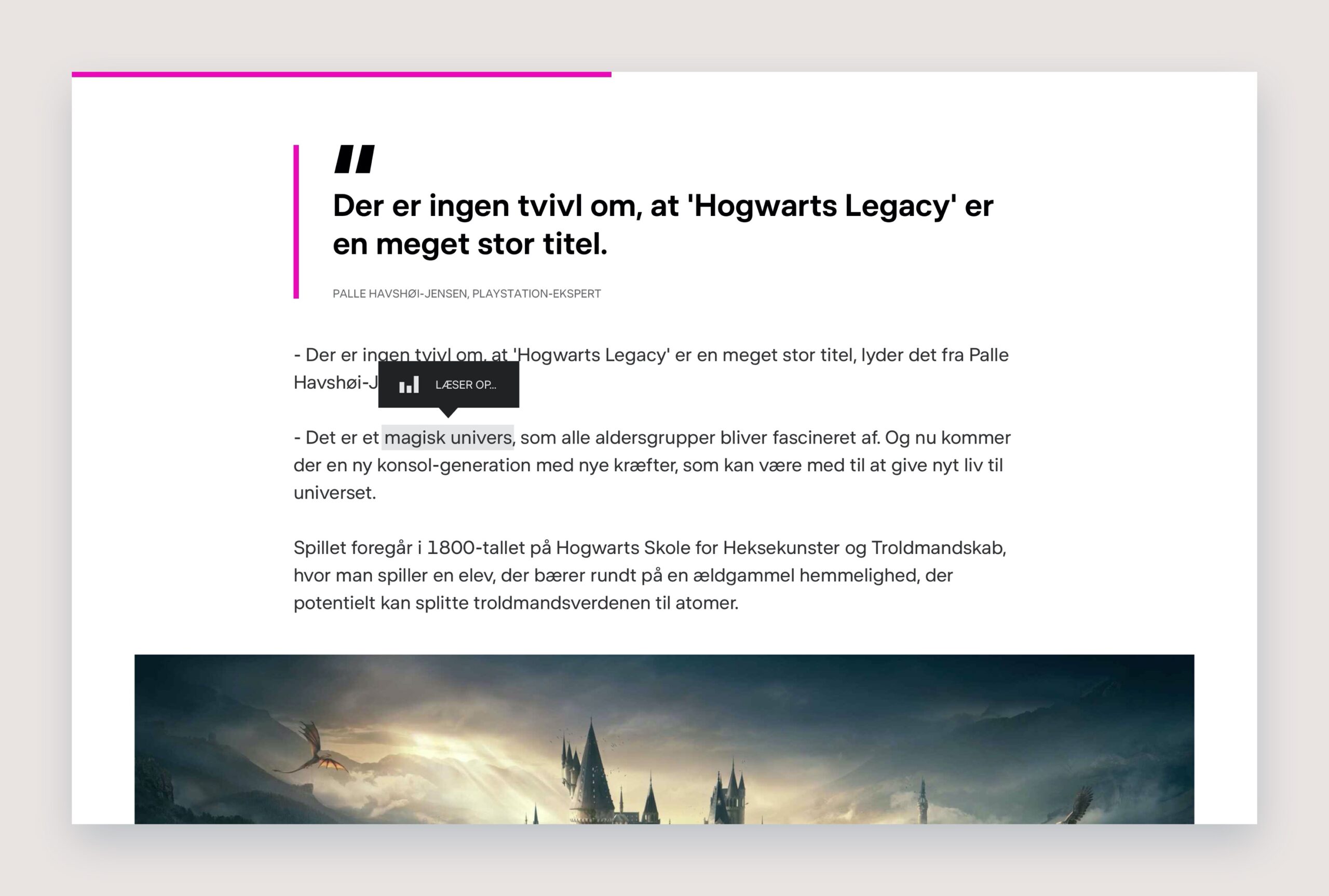
Text-to-speech upon selection.